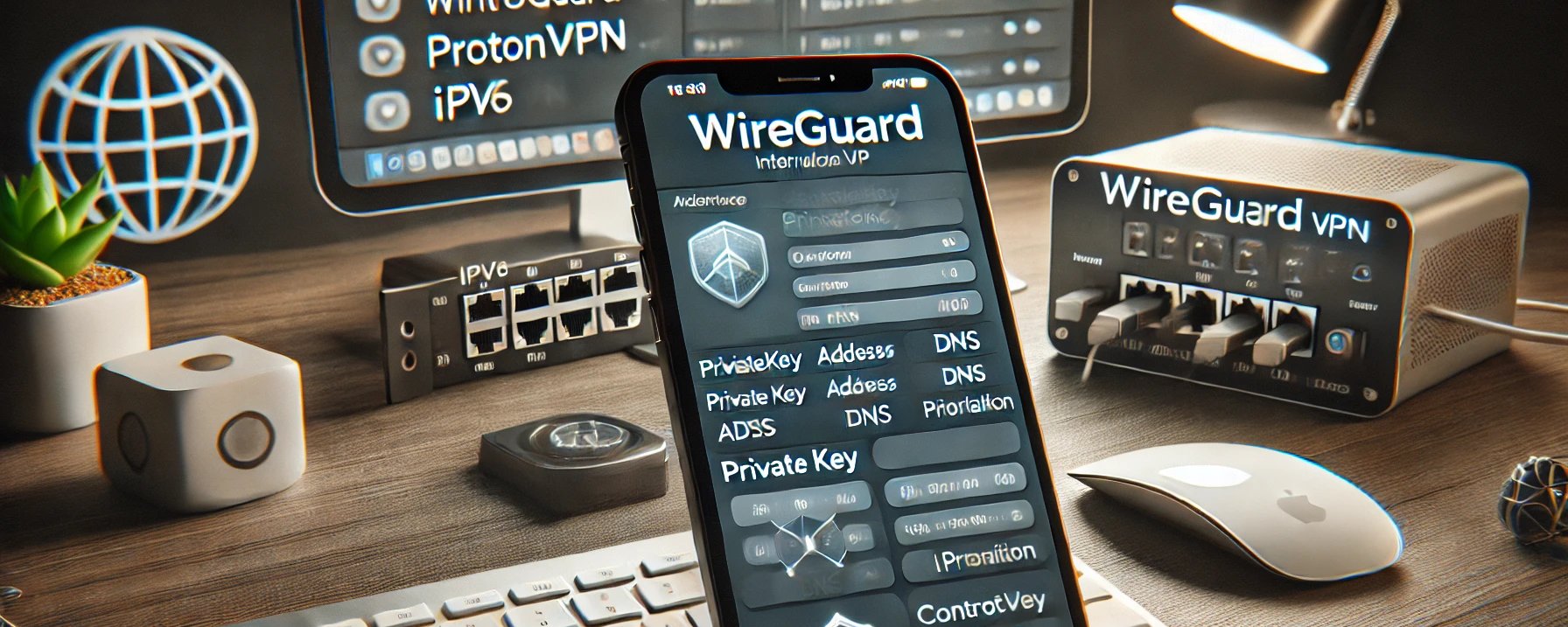
Guide to Setting Up WireGuard with ProtonVPN + ControlD + IPv6 on iOS This guide demonstrates how to configure WireGuard on an iOS device using ProtonVPN and ControlD for advanced security and IPv6 prioritization. This setup ensures optimized connectivity and enhanced privacy with features like VPN acceleration and DNS filtering. Prerequisites
Install the WireGuard app from the App Store. Install the ControlD profile on your iOS device to enable DNS filtering and advanced privacy settings.
WireGuard Configuration Below is the configuration you will use in the WireGuard app. [Interface] Key for ProtonVPN Bouncing = 8 NetShield = 0 NAT moderato = off NAT-PMP (Port forwarding) = off VPN Accelerator = on PrivateKey = Address = 10.2.0.2/32 , 2008:db8:d33b:b10c:0:0:2:2/128 DNS = 0.0.0.0/32 , ::/128 [Peer] ProtonVPN PublicKey = AllowedIPs = 0.0.0.1/32 , 0.0.0.2/31 , 0.0.0.4/30 , 0.0.0.8/29 , 0.0.0.16/28 , 0.0.0.32/27 , 0.0.0.64/26 , 0.0.0.128/25 , 0.0.1.0/24 , 0.0.2.0/23 , 0.0.4.0/22 , 0.0.8.0/21 , 0.0.16.0/20 , 0.0.32.0/19 , 0.0.64.0/18 , 0.0.128.0/17 , 0.1.0.0/16 , 0.2.0.0/15 , 0.4.0.0/14 , 0.8.0.0/13 , 0.16.0.0/12 , 0.32.0.0/11 , 0.64.0.0/10 , 0.128.0.0/9 , 1.0.0.0/8 , 2.0.0.0/7 , 4.0.0.0/6 , 8.0.0.0/5 , 16.0.0.0/4 , 32.0.0.0/3 , 64.0.0.0/2 , 128.0.0.0/1 , ::1/128, ::2/127, ::4/126, ::8/125, ::10/124, ::20/123, ::40/122, ::80/121, ::100/120, ::200/119, ::400/118, ::800/117, ::1000/116, ::2000/115, ::4000/114, ::8000/113, ::1:0/112, ::2:0/111, ::4:0/110, ::8:0/109, ::10:0/108, ::20:0/107, ::40:0/106, ::80:0/105, ::100:0/104, ::200:0/103, ::400:0/102, ::800:0/101, ::1000:0/100, ::2000:0/99, ::4000:0/98, ::8000:0/97, ::1:0:0/96, ::2:0:0/95, ::4:0:0/94, ::8:0:0/93, ::10:0:0/92, ::20:0:0/91, ::40:0:0/90, ::80:0:0/89, ::100:0:0/88, ::200:0:0/87, ::400:0:0/86, ::800:0:0/85, ::1000:0:0/84, ::2000:0:0/83, ::4000:0:0/82, ::8000:0:0/81, ::1:0:0:0/80, ::2:0:0:0/79, ::4:0:0:0/78, ::8:0:0:0/77, ::10:0:0:0/76, ::20:0:0:0/75, ::40:0:0:0/74, ::80:0:0:0/73, ::100:0:0:0/72, ::200:0:0:0/71, ::400:0:0:0/70, ::800:0:0:0/69, ::1000:0:0:0/68, ::2000:0:0:0/67, ::4000:0:0:0/66, ::8000:0:0:0/65, 0:0:0:1::/64, 0:0:0:2::/63, 0:0:0:4::/62, 0:0:0:8::/61, 0:0:0:10::/60, 0:0:0:20::/59, 0:0:0:40::/58, 0:0:0:80::/57, 0:0:0:100::/56, 0:0:0:200::/55, 0:0:0:400::/54, 0:0:0:800::/53, 0:0:0:1000::/52, 0:0:0:2000::/51, 0:0:0:4000::/50, 0:0:0:8000::/49, 0:0:1::/48, 0:0:2::/47, 0:0:4::/46, 0:0:8::/45, 0:0:10::/44, 0:0:20::/43, 0:0:40::/42, 0:0:80::/41, 0:0:100::/40, 0:0:200::/39, 0:0:400::/38, 0:0:800::/37, 0:0:1000::/36, 0:0:2000::/35, 0:0:4000::/34, 0:0:8000::/33, 0:1::/32, 0:2::/31, 0:4::/30, 0:8::/29, 0:10::/28, 0:20::/27, 0:40::/26, 0:80::/25, 0:100::/24, 0:200::/23, 0:400::/22, 0:800::/21, 0:1000::/20, 0:2000::/19, 0:4000::/18, 0:8000::/17, 1::/16, 2::/15, 4::/14, 8::/13, 10::/12, 20::/11, 40::/10, 80::/9, 100::/8, 200::/7, 400::/6, 800::/5, 1000::/4, 2000::/3, 4000::/2, 8000::/1 Endpoint = 146.70.182.18:51820 Regarding IPv6, I have tested it on other servers as well, including UK, US, Italy and more M247 Europe servers. Optimizing IPv6 Prioritization To prioritize IPv6 over IPv4:
The Address field must include a GUA IPv6 prefix like 2008:db8:d33b:b10c:0:0:2:2/128. Ensure the DNS field (::/128) resolves IPv6 queries effectively.
Testing the Setup
Verify Connectivity Check IPv6 connectivity: ping6 -c 4 2001:4860:4860::8888 Check IPv4 connectivity: ping -c 4 8.8.8.8
Key Features Enabled
VPN Accelerator: Boosts VPN speed and performance. IPv6 Prioritization: Ensures compatibility with modern networks. ControlD Filtering: Adds content and DNS filtering capabilities.
Troubleshooting
IPv6 Not Routing: Ensure the ProtonVPN server supports IPv6. Connection Drops: Adjust PersistentKeepalive in the [Peer] section to maintain stability.
This configuration combines the strengths of ProtonVPN and ControlD, leveraging WireGuard’s lightweight protocol for a secure and efficient VPN experience. Experiment with settings like IPv6 prioritization and ControlD filters to tailor the setup to your needs. Site: https://controld.com/ https://protonvpn.com